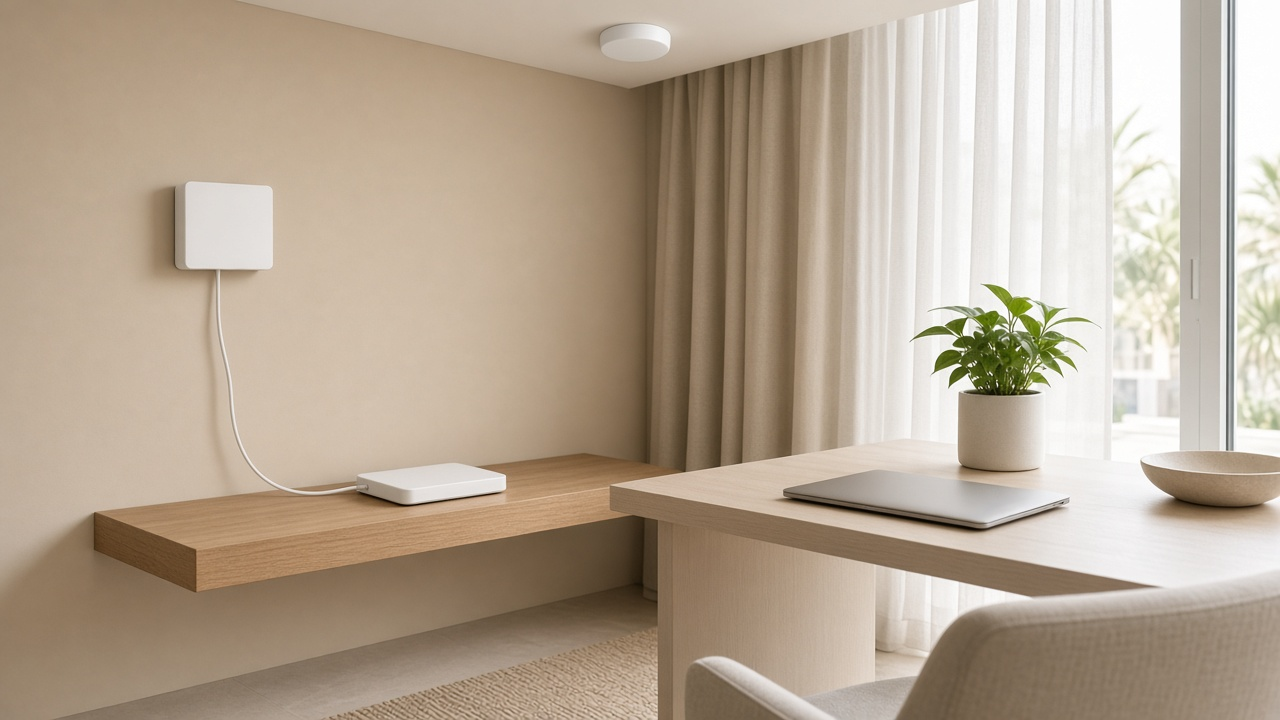
You have fibre. There is a white box on the wall, a separate WiFi router beside it, and maybe a TV box too. Then you add UniFi, Deco or Firewalla, a few cameras and a home office, and the "1 Gbps" plan starts to feel unreliable.
Often the fibre is fine. The problem is how the boxes are connected. This guide labels each one and shows the setup we recommend for du and Etisalat. It builds on our short post on bridge mode for Dubai ISP routers.
Key takeaways
- Fibre ends at the ONT. The ISP WiFi router sits after it. They are different devices with different jobs.
- The ISP router tries to do WiFi, routing and DHCP at once. That suits a small flat. It struggles in a villa or an office.
- A second router in router mode behind the ISP router creates double NAT. Bridging, or removing the ISP router, avoids it.
- The clean setup is ONT, then your router, then wired access points.
- Check TV and phone before you change anything. They are the most common reason a bridge goes wrong.
- Neither ISP publishes bridge menu steps for its current routers, so ask them or an installer.
- A new router will not fix a wrong handoff. See our Wi-Fi 7 guide.
The three boxes most Dubai homes confuse
Most homes call the ISP WiFi box "the internet". It is not. There are usually three things:
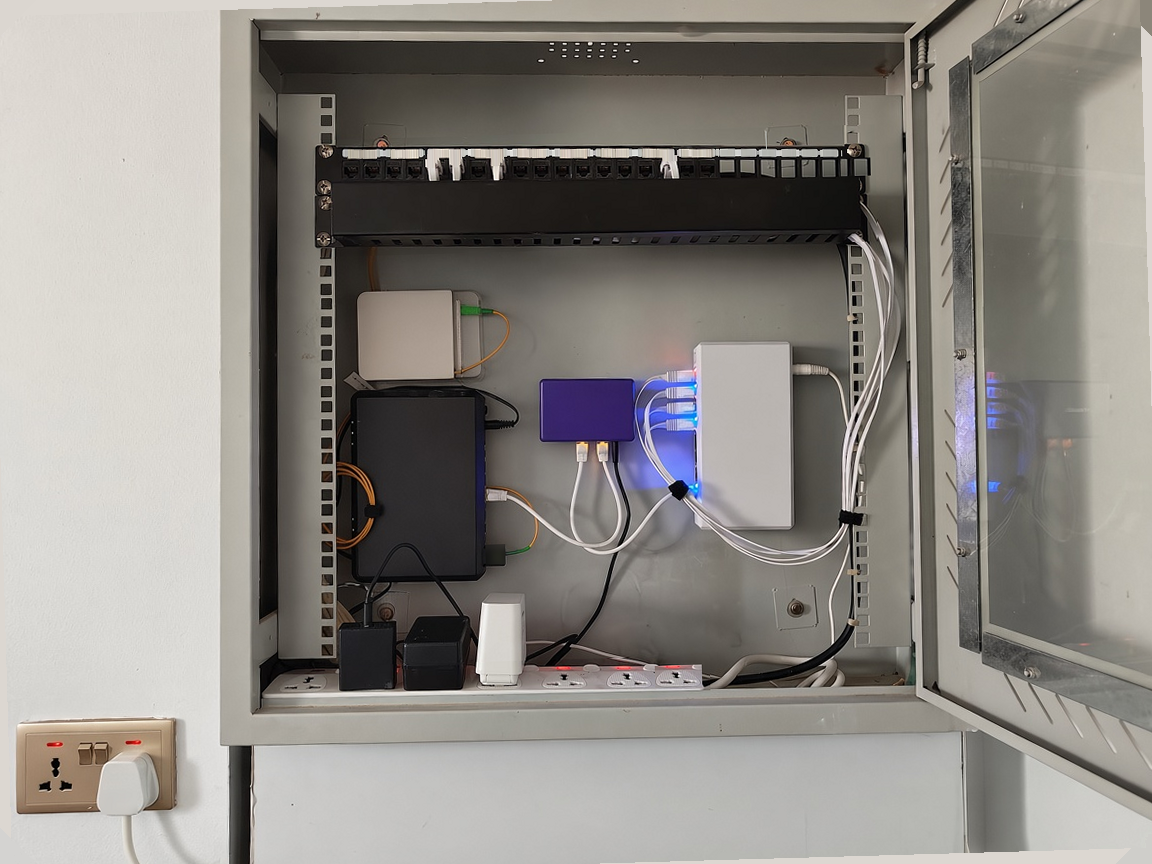
- The ONT (optical network terminal). This is the fibre handoff. It is often a white wall plate, or a small unit on a shelf or in an enclosure, with a thin fibre cable going in.
- The ISP router. This is the box with WiFi antennas that the ISP supplies. It sits after the ONT.
- Your own router or mesh. This is what you add for control or coverage, such as a UniFi gateway, a Firewalla or Deco units.
There may also be a TV box and a phone socket.
The ISP sells all of this as one "router". That is marketing. Only some of these boxes move your data around the house.
Etisalat's DIY install flyer shows an ONT with a separate internet router and TV box. du Home plans come with a Linksys router, and Linksys documents the SPNM60DU as a Wi-Fi 7 mesh router with a 2.5G WAN port. The WAN port is the socket that takes the internet in, so that router sits after the ONT.
Older installs can have the ONT and router combined in one box, so check what is actually on your wall.
What the ONT actually does
The ONT turns the light in the fibre into Ethernet. Etisalat describes it as the device that connects your home to its fibre network.
That is all it does. It is not your WiFi or, usually, your firewall.
du's authorised-partner FAQ quotes a maximum of 8.5 Gbps on XGS-PON, and Etisalat says it has existing GPON and XGS-PON footprints. So a Dubai home is typically on GPON or XGS-PON, then an ONT, then Ethernet.
The Etisalat flyer labels the ONT sockets S1 for the telephone, S2 for internet and S3 for IPTV. Your own unit may differ, so read the labels on it.
Leave the ONT alone unless your ISP asks you to touch it. Do not pull or twist the fibre connector. Power and status lights are all you need to check.
What the ISP router is trying to do
The ISP router is a WiFi access point, a DHCP server and a router in one. In some homes it also handles TV and phone. It is built for an average flat.
It struggles when the property is bigger or busier. Etisalat's Full Home WiFi page says the main router covers the room it is in and part of the next, and that larger homes often need extra access points. An office with 40 or more devices needs far more than default consumer settings.
Then there is double NAT. It happens when you plug a second router, in router mode, behind the ISP router, so two devices are both routing. Our bridge mode post has the basics.
If you are choosing hardware, our guides to UniFi in Dubai and Firewalla vs UniFi will help.
The clean setup we recommend
ONT, then your router, then wired access points
Our usual layout:
- The ONT, left as installed.
- One Ethernet cable from the ONT's internet socket to the WAN port of your router or firewall.
- The ISP router removed, or no longer routing (see the next section).
- Access points on Ethernet back to a switch, rather than wireless mesh, wherever cabling exists.
We prefer cables to wireless backhaul. Our posts on mesh vs wired access points in UAE villas and mesh vs access points explain why. See also our residential WiFi design approach and network cabling service. For a low-pressure first step, see wifi.hurst-first.com.
Bridge mode, IP passthrough or DMZ
In order of preference:
- Bridge or modem mode. The ISP device stops routing and your router gets the public address. This is the ideal.
- IP passthrough. A compromise when full bridge is locked, or breaks something such as TV.
- DMZ to your router. A last resort. The ISP router is still doing the routing, so you are not truly out of double NAT.
Neither du nor Etisalat publishes consumer help pages with the menu names for these options on its current routers. We will not guess them.
What the ISPs do say:
- Etisalat. Its Neo, Neo Fusion and Ultra Starter plan pages say you are welcome to use your own router. If the fault is not on Etisalat's network, remote support may stop and a paid technician visit may apply.
- du. Its partner FAQ says it cannot guarantee or support you if you use third-party equipment. It also says the top XGS-PON speed needs du's own ONT and router.
So ask your ISP what it supports for your model, or have an installer handle it.
If your router needs PPPoE, the login comes from your ISP, and so does any VLAN ID. TP-Link's UAE setup guide says to get the VLAN ID from Etisalat. It suggests trying 20 to 30 only as a guess, and we would not rely on that.
du and Etisalat: what Dubai homeowners run into
TV and IPTV
Plan this first. It is the most common reason a bridge goes wrong.
On Etisalat, the DIY flyer keeps internet on ONT socket S2 and IPTV on S3. That is port-based IPTV: the TV box plugs into its own ONT port, not into your router. If your router replaces the ISP router on S2 only, the TV box can stay on S3. That is the cleanest layout the flyer documents.
If the TV box has to connect through your own router instead, you will need to set up IPTV there using the VLAN ID your ISP gives you. The ID is area-specific.
For du, we could not find an official IPTV handoff guide. Ask du how your TV connects before you touch anything.
Phone and voice
The Etisalat flyer shows the phone plugging into the ONT (S1), and Etisalat's "using your own phone" help says that on Neo it can attach directly to the ONT. Do not assume that holds for your line. Check whether voice sits on the ONT or on the ISP router before you remove the router.
Plan speed versus what you measure
A faster WiFi standard, as in our Wi-Fi 7 guide, will not fix a wrong handoff. For 1 Gbps plans, the Etisalat Neo and Ultra Starter terms say 1G is delivered over Gigabit Ethernet ports, with typical speeds of 900 to 940 Mbps. So a cabled speed test a little under 1,000 Mbps is normal. Test over Ethernet first, then WiFi. The gap between them is your WiFi, not your line.
Apartment, villa or small office
Apartment. One access point is often enough once the ISP box is bridged. Place the router sensibly, not just in the utility cupboard. If speeds still disappoint, read fast WiFi, slow internet.
Villa. From our installs, the ONT is often in a plant room or a cupboard. Plan a short Ethernet run from there to an accessible cabinet for your router and switch. Villas usually need several access points and some outdoor coverage. See WiFi for Dubai villas.
Small office. Once the handoff is clean, you can add VLANs, guest WiFi, a VPN and a second internet line for failover. See office VLAN basics, backup internet failover and our commercial networking page.
Etisalat also sells Full Home WiFi, a managed mesh add-on, at AED 99 per month including VAT, for up to five units. It is simple, and for some homes it is enough. If you want your own firewall and wired access points, an independent design fits better. Prices change, so check the Etisalat page.
If your fibre is not live yet, see internet for new Dubai communities.
Checklist before you change anything
- Photograph every label, serial number and the fibre connector as it is seated.
- Write down which TV and phone services must keep working.
- Check whether TV and voice sit on the ONT or on the ISP router.
- Have a rollback plan, so the ISP router can go back as the main router if the call drops.
- Do not unplug fibre connectors.
- Book an ISP technician only if the ONT itself looks faulty.
See also why network documentation matters.
When to DIY and when to call us
DIY is reasonable when it is a small apartment, your ISP confirms bridge mode, it is a single router swap and TV and phone are not involved.
Call us when it is a villa that needs a multi-access-point design, you use UniFi or Firewalla, CCTV shares the network, IPTV needs setting up on your own router, you want dual WAN with a 5G or Starlink backup, or a wrong bridge could leave the household offline.
See our WiFi installation, WiFi services and consulting pages.
FAQ
Do I need the ISP WiFi router if I already bought UniFi, Deco or Firewalla?
Often not for WiFi, but check TV and phone first. If they run through the ISP router, you may need to keep it, or move them to the ONT or your own router.
Will bridge mode break my TV box?
It can. On Etisalat, the TV box uses its own ONT port (S3), so changing the router on the internet port may leave it untouched. If it has to connect through your own router, you will need VLAN details from your ISP. For du, ask first.
Can I unplug the ONT?
We would not. It is the fibre handoff, and Etisalat's flyer says to leave the fibre connectors alone. Check the power and status lights, and call your ISP if something looks wrong.
Why is my speed test lower than my fibre plan?
Test over a cable first. On Etisalat 1 Gbps plans, the stated typical speed over Gigabit Ethernet is 900 to 940 Mbps. If the cabled test is good and WiFi is slow, your line is fine and your WiFi needs attention.
Why do some bills and apps still show the old brand?
The brand went back to the Etisalat name in October 2026. e& announced this on 6 October 2026, and you may still see the older name on bills, apps or kit.
Talk to Hurst First
Fibre is live but the house still feels offline? We will map your ONT and ISP gear, put the handoff right and design WiFi that matches the plan you already pay for. We work on villas, apartments and small offices across Dubai.
There is no pressure. If you would like a second opinion before you change anything, Request a consultation and we will take it from there.