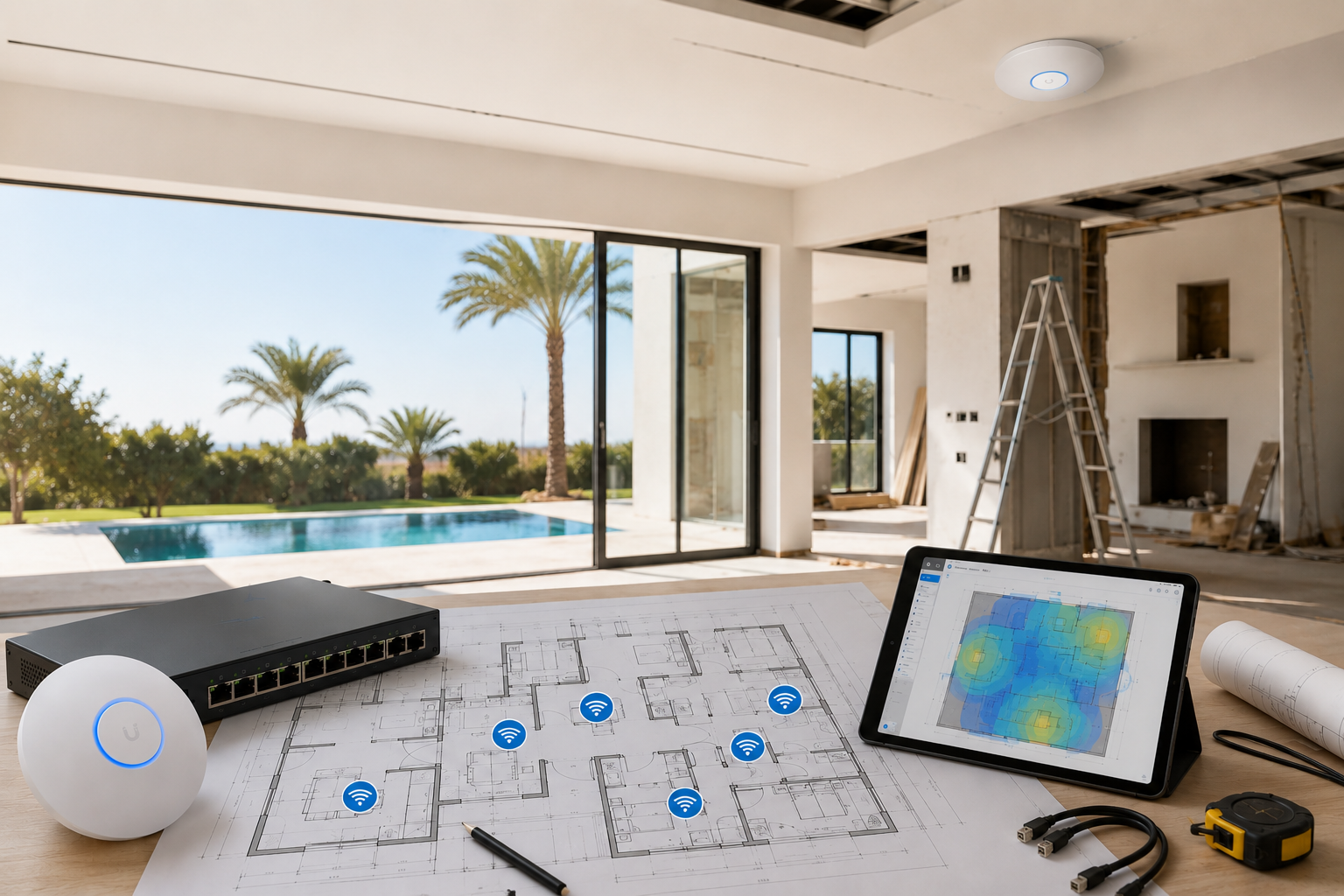
If you are renovating a villa in the UAE, WiFi should be part of the plan from day one, not something you sort out after the paint dries.
That sounds obvious, but it is still where a lot of projects go wrong. The walls are already closed. The ceiling is finished. The router ends up in a random corner of the TV room. Then everyone starts asking why the bedroom upstairs, the study, and the garden all need extenders.
The better approach is simple: decide where the network equipment will live, run the cabling while the walls and ceilings are open, and place access points where they can do their job properly.
Start with the villa layout, not the internet speed
People often ask, “What speed plan do I need?” That is the wrong first question.
A 500 Mbps or 1 Gbps connection will still feel poor if the house is full of weak spots. In villas, the real issue is usually layout:
- thick concrete walls
- multiple floors
- long distances between rooms
- a maid’s room, garage, and garden that sit far from the main living area
- outdoor spaces that need coverage too
Walk the villa and mark the places where WiFi matters most. In most homes, that is not every room equally. It is usually:
- the family living room
- upstairs bedrooms
- a home office or study
- TV rooms
- the kitchen if people work from there
- the majlis, if it is used regularly
- the terrace, garden, or pool area
That list becomes the basis for your cabling plan.
Choose the network cabinet location early
Before anyone starts closing ceilings, decide where the network cabinet or rack will go.
This is where the modem, router, switch, patch panel, and any UPS should live. It needs to be:
- central enough to make cable runs manageable
- ventilated
- accessible for maintenance
- away from heat, dust, and water exposure
- not hidden behind furniture that will never move again
In many villa renovations, a laundry room, store room, or dedicated utility cupboard works well. What matters is that the location is fixed early, because every cable run depends on it.
If the cabinet is decided late, the whole network ends up compromised.
Run Ethernet to the rooms that actually need it
This is the part that makes the biggest difference.
If you are renovating properly, do not rely on WiFi alone. Run Cat6 or Cat6A to the key rooms and ceiling points while you still can. That gives you options later:
- wired access points
- smart TVs
- gaming consoles
- desktop computers
- printers
- IP cameras
- doorbells
- intercoms
- AV equipment
Even if you do not use every outlet on day one, the cable is there for later. That is the whole point of doing it during renovation.
At minimum, plan for:
- one or two data points behind each TV
- a ceiling point for each access point location
- a point in offices or study areas
- cable runs to outdoor access point locations if needed
- spare conduits for future use
A small amount of extra cabling now is far cheaper than opening walls later.
Put access points where coverage should come from
A lot of people think WiFi should be strongest near the router. That is not how villas work.
The router is usually just the gateway. The actual WiFi coverage should come from properly placed access points, usually mounted on the ceiling and wired back to the network switch.
Good locations are typically:
- central corridors
- landings between floors
- living areas
- long hallway intersections
- ceiling points that can cover several rooms at once
Bad locations are usually:
- inside cabinets
- behind TVs
- on top of the fridge
- tucked into a corner of the office
- wherever there happens to be a free power socket
If the villa has multiple floors, plan for separate access points on each level. Do not assume one strong unit downstairs will cover the whole house.
Think about outdoor coverage at the same time
In the UAE, this is where renovation plans often miss something important. The inside of the villa may be fine, but the terrace, garden, or pool area ends up with weak or no signal.
If you know those spaces will be used, plan for them now:
- run an Ethernet cable to the terrace or outdoor ceiling
- allow for a weatherproof access point
- keep the outdoor unit under shade where possible
- avoid locations that will be hit directly by sun or water spray
Outdoor WiFi is much easier to do during renovation than after the fact, especially if the walls and waterproofing are already finished.
Work with the electrician and the fit-out team
WiFi planning should not sit in a separate box from the electrical and joinery work.
The electrician needs to know where the low-voltage routes are going. The carpenter needs to know where cabinets will be. The ceiling contractor needs to know which areas must stay accessible. And the MEP team needs to avoid blocking cable routes with ducts or pipework.
A few practical things help:
- mark AP locations on reflected ceiling plans
- show data points on the same drawings as power points
- keep network cabling away from high-voltage noise where possible
- label every cable at both ends
- leave service loops so the installer has room to terminate neatly
This is the sort of coordination that saves time later. It also avoids the usual “we forgot to leave a route for that” conversation.
Leave room for future devices
Renovations usually start with one idea and end with another.
Maybe the owner did not plan on adding CCTV. Maybe the office becomes a guest room. Maybe the garden gets landscaped differently. Maybe the family later wants more cameras, better audio, or smart shading.
That is why it makes sense to plan a little beyond the immediate brief:
- run extra conduits where possible
- leave spare cable paths to the roof, garden, and gate
- choose a switch with room to grow
- make sure the cabinet has enough space and cooling
- avoid the cheapest equipment if it will need replacing in a year
Future-proofing is not about overcomplicating the build. It is about avoiding a second round of hacking into finished surfaces.
A simple renovation checklist
If you want the short version, this is the order that works best:
- Fix the network cabinet location.
- Map the rooms and outdoor areas that need coverage.
- Decide where the ceiling access points should go.
- Run Ethernet and spare conduits before closing walls and ceilings.
- Coordinate the plan with electrical, carpentry, and ceiling works.
- Label everything clearly.
- Test the cabling before final finishing.
- Install and tune the access points after the build is complete.
That sequence is boring, which is a good thing. Boring network planning usually means the WiFi works.
Final thought
A villa renovation is the best time to get WiFi right. Once the cabling is in, the access points are planned properly, and the outdoor areas are included, the whole house becomes easier to live with.
If you leave it until the end, you will almost always spend more and get a worse result.
The cleanest networks are usually the ones planned before anyone starts closing the ceiling.