
The lights behave in the showroom. At home, something is off — flicker at low level, a buzz from the ceiling, a low scene that will not start, or a fitting that comes on late when the rest of the room does. The app says the command arrived. So the first guess is WiFi, the hub, or a cheap LED.
More often than not, the radio side is fine. The fault sits in the load chain: the fitting, its driver, the dimmer or controller, and the circuit they share. This piece stays on that electrical behaviour and how you can check it before committing to a villa full of the same lamp. For the wider question of retrofit versus renovation lighting, see our smart lighting retrofit vs renovation guide. For infrastructure detail — neutrals, cabling, distribution-board space — our lighting infrastructure page covers it.
Key takeaways
- A "dimmable" label is only the start. The fitting, the driver (the power supply for the LED), the control method and how many lights share the circuit all have to match.
- The app can report success and the light can still dim poorly. Getting the command is one thing; how the fitting actually behaves is another.
- Wattage on its own can mislead you. An example Lutron in-line family rates LEDs at 1 A (a current rating, or 150 W where current is not specified), while its incandescent rating is higher.
- Test the exact combination you plan to install in a sample room before you order in bulk. A different lamp under showroom lights is a different test.
- Leading-edge, trailing-edge, DALI and 0–10 V are different ways of telling a light to dim. Use the wrong method for the driver and you often get flicker, buzz or a narrow usable range.
- Opening mains enclosures (the electrical boxes), adding neutrals or changing drivers is work for a qualified electrical team. Before anyone opens a box, you can record the symptoms and photograph the labels.
The compatibility chain, not the app
When a scene misbehaves, the instinct is to open the app. That is reasonable. Commands can drop, a hub can go offline, a phone can end up on the wrong network. But if the command arrives and the light still flickers, buzzes, starts late or will not hold a low level, you are dealing with load behaviour.
Four things have to agree:
- The luminaire or lamp — the visible fitting.
- The driver — often built into the fitting, sometimes separate.
- The dimmer or controller — in-line, wall-mounted, on a bus, or a wireless module.
- The circuit — how many fittings share it, how it is wired, whether a neutral is present, what the temperature is like in the back box or ceiling void.
Wireless pairing and electrical dimming are separate layers. A Lutron RA2 Select in-line family document shows Clear Connect RF pairing with Pico remotes and occupancy controls on one side, and reverse-phase (trailing-edge) load ratings on the other. Getting the radio to talk is one thing. Getting the LED load to dim cleanly is another.
The same split applies to DALI. DALI-2 certification runs independently verified interoperability tests, and certified products appear in a public database. That gives you documented protocol compatibility. It does not guarantee every optical result at an arbitrary brightness percentage.
If commands never reach the light at all, treat that as a connectivity problem first. Our WiFi design site covers coverage and connection faults. If the command arrives and the light still misbehaves at low level, stay on the load chain.
Why "dimmable" still fails in real rooms
Manufacturers say this plainly. That same Lutron document warns that untested LED fixtures may not turn on or may dim poorly, and that fixture-to-fixture performance cannot be guaranteed. Exact variants matter. So does the number of fittings on a circuit.
A few concrete points from that example family — an older distributor-hosted specification, not a current UAE shopping list or approval:
- Supply rating is 220–240 V, 50/60 Hz, which matches Dubai mains voltage and frequency in principle. That does not, on its own, approve a particular imported SKU for use here.
- The reverse-phase dimmer is trailing-edge. It lists support for incandescent, halogen, ELV and LED, with different ratings for LED versus the others.
- The LED rating is 1 A. Where current is not specified, 150 W may be used. The incandescent/halogen/ELV rating is 250 W. A "250 W dimmer" is not a 250 W LED dimmer.
- Listed 25NE dimmer and 6ANS switch variants in that family require a neutral. Other products may not. Do not take one family's requirement as a rule for every smart bulb or every retrofit circuit.
- The controls are indoor-only, rated for an ambient 0–40 °C, non-condensing. A hot Dubai ceiling void needs checking against the actual product's limits before you specify it.
Manufacturer lists also split regional radio models — for example UK/Europe 868 MHz, India 865 MHz and other limited markets. A UK, Indian or US import that fits the back box and talks to an app is not automatically UAE-approved. Check the exact regional SKU, voltage and type approval separately. TDRA short-range device rules set frequency and power conditions for short-range devices. They do not, on their own, approve an individual imported module.
Our retrofit guide already flags driver compatibility, neutral availability, back-box heat and mixed load types — decorative, linear, downlights — on the same circuit. Those are common Dubai failure points. They are not a remote diagnosis of your specific room.
What to check before you order in bulk
A short acceptance record can save you from expensive re-orders. Think of it as a specification checklist rather than a formal deliverable:
- Exact luminaire and driver part numbers, the regional electrical version, the control method, and any tested dimmer or controller reference the manufacturer publishes.
- How many fittings will sit on each circuit, the manufacturer's load limits or derating notes, and confirmation that the electrical team has reviewed wiring and neutral requirements.
- A sample of the proposed installed combination — not a different lamp under showroom lights. Record steady operation, a start from a saved low scene, fades up and down, scene recall, any audible noise, and a clean switch-off.
- Agree a usable minimum brightness by demonstration, in the room. A theoretical "1%" on a datasheet is not the same thing as a uniform, usable light level across mixed fittings.
- Re-test after any driver substitution. Record which replacement parts are compatible and how physical manual control behaves at handover.
Hold off on claims you cannot back up. A medical "flicker-free" claim, compliance with a named flicker-test standard, a guaranteed minimum percentage, or fixed energy-saving figures — none of these belong in the conversation unless the manufacturer documents them for your exact installed combination. Theoretical minimums and optimistic savings belong in the same category: leave them out unless the manufacturer documents them for your exact stack.
DIY is reasonable when / Call us when
DIY is reasonable when you are gathering labels, photographing drivers and dimmers, pulling together purchase documents, and writing a clear list of symptoms — flicker, buzz, late start, a poor low scene, uneven banks of lights. You can also compare those labels against manufacturer compatibility notes before anyone opens an enclosure.
Call us when you need a lighting and control assessment across a villa or renovation, mixed decorative and linear loads that refuse to share a scene, a sample-room test before a bulk purchase, or help specifying dimming actuators and lighting control that fit the fittings you already like. See our smart home services and Lutron lighting overview.
Who does what?
We handle the actuator and control side — dimming actuators and lighting control. The electrician handles the lighting install, the drivers, and the power supply to the actuators. We do not install drivers or fittings ourselves.
Opening mains enclosures, altering neutrals, selecting protection, swapping drivers and running live electrical tests sits with a qualified electrical team. We do not publish terminal-by-terminal wiring steps or shortcuts like "add a bypass resistor" in a public guide.
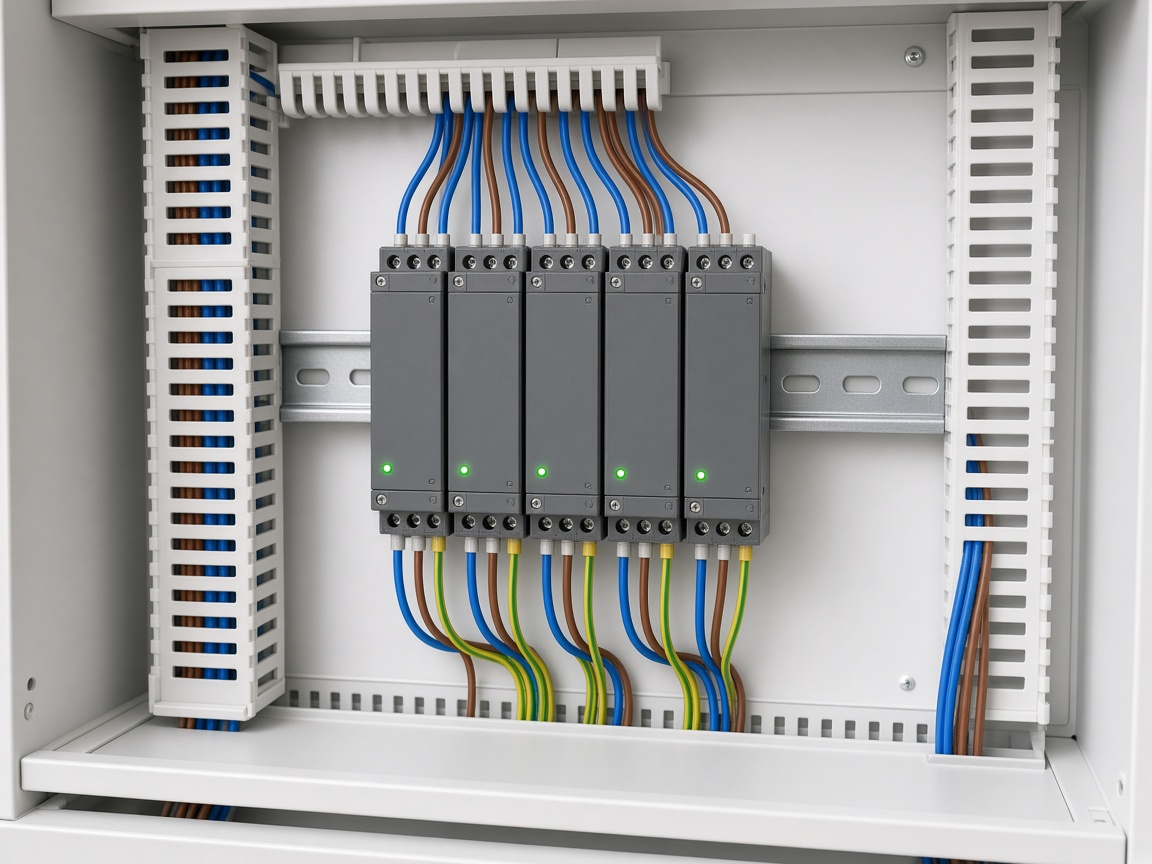
How we approach lighting control on site
Our Arabian Ranches Mirador renovation included Lutron lighting control as part of a wider villa project. That is public evidence that we work with lighting integration in Dubai homes. It is not a published flicker-repair case study, and we do not have before-and-after electrical measurements to cite from it.
On a typical assessment we start with the symptoms and the labels. We separate connectivity faults from load faults, and we press for a sample of the real installed combination before anyone commits to hundreds of the same fitting. Where the fault sits on the driver or power side, we work with the electrician rather than taking that work on ourselves. Platform comparisons — Lutron, KNX, Matter and the rest — belong on their own pages. This piece stays on why the lights misbehave when the app says everything is fine.
FAQ
Why does a light dim but not start at a low scene?
Start-up behaviour depends on the exact driver and control combination. Manufacturers warn that untested LEDs may not turn on or may dim poorly. A command reaching the fitting is not proof that WiFi failed — it simply tells you the fault is downstream of the radio.
Can I keep my existing fittings?
Often yes, but only once you have identified the driver, the load type and the control method. Compatibility is specific to the combination. Nobody can give you a reliable keep-or-replace answer from photographs alone.
Do smart dimmers need a neutral?
It depends on the product. The Lutron in-line family examples above require a neutral. Other dimmers, modules and smart bulbs may not. Check the specific model, not a general rule.
Does a DALI-2 badge mean the lights will be flicker-free?
No. DALI-2 certification verifies specified protocol interoperability through independent testing. It does not prove every optical performance claim at every brightness level. Check the exact driver and control entries in the product database.
Is a trailing-edge dimmer the same as DALI or 0–10 V?
No. Trailing-edge (reverse-phase), leading-edge, DALI and 0–10 V are different control methods. Matching the wrong method to a driver is a common route to flicker, buzz or a narrow usable range.
Could the problem still be WiFi?
Yes — if commands never arrive or scenes time out, fix coverage and connection first. But if the command arrives and low-level output is still poor, the fault is on the load chain. Leave the WiFi questions for genuine coverage faults; our WiFi microsite covers those.
Who does what on a lighting job?
We handle dimming actuators and lighting control. The electrician installs the lights, the drivers and the power supply to the actuators. We do not install drivers or fittings.
Talk to Hurst First
Flickering, buzzing or stubborn low scenes are usually a fitting, driver and control problem — not another app to install. We can help you sort the symptoms, plan a sample-room test and specify the control side so it matches the lights you want to keep, working alongside your electrician on the drivers and power.
No pressure. If you would like a second opinion before ordering another crate of fittings, Request a consultation and we will take it from there.