You are paying for fast fibre. You have bought new Wi-Fi 7 kit. Yet every speed test stops at about 940 Mbps. Nothing is broken. Somewhere between the fibre and your device there is a 1 Gbps link, and it is doing exactly what it was built to do.
Faster fibre tiers and Wi-Fi 7 access points can both push past 1 Gbps. Even so, most homes do not need 10G everywhere. This guide shows how to find the slowest link, upgrade only the links that carry everyone's traffic, and get the cabling right while the walls are open.
Key takeaways
- About 940 Mbps on a speed test is the normal ceiling of a healthy 1G link, not a fault.
- Your speed is set by the slowest hop in the chain: ONT, router, switch, access point, device.
- 2.5G suits most multi-gig homes. 10G is for the backbone, a NAS or the fastest fibre plans.
- Cat5e is designed to carry 2.5G up to 100 m, but test it before you rely on it. You do not need Cat6a for 2.5G.
- 10G over copper needs Cat6a for 100 m, or Cat6 up to about 55 m.
- Upgrade in order: ISP handoff, router, switch, access point uplinks, then devices last.
- Multi-gig gear runs warmer, and Dubai cupboards are already hot.
Why your "fast" plan tops out around 940 Mbps
Every packet carries some overhead. On a 1 Gbps Ethernet link that leaves about 949 Mbps of real data at best. A healthy Gigabit link usually tests at 930 to 950 Mbps. If you see about 940 Mbps, the 1G hop is full, not faulty. Etisalat's own terms for its 1 Gbps Neo plans quote typical speeds of 900 to 940 Mbps over Gigabit Ethernet ports for the same reason.
Your connection is a chain:
ONT → ISP router or your own router → switch → access point or wired device
One 1G hop anywhere in that chain caps everything after it. In Dubai homes we usually find one of these:
- The ISP router's LAN ports or the cable to your own router.
- An old unmanaged switch in a cupboard, put in years ago and forgotten.
- A Wi-Fi 7 access point plugged into a 1G switch port.
- A laptop with a 1G port or a USB adapter.
If your WiFi itself is the problem, start with our posts on fast WiFi and slow internet in Dubai apartments and whether Wi-Fi 7 is worth it.
1G vs 2.5G vs 5G vs 10G in plain English
- 1G. Fine for browsing, streaming and video calls, and for most desks, TVs and printers.
- 2.5G. The sweet spot for multi-gig homes. It suits Wi-Fi 7 access point uplinks and fibre plans above 1 Gbps.
- 5G. A step between the two. Useful on some fibre handoffs and fast devices.
- 10G. For the backbone between router and switch, a NAS, video editing and the fastest fibre plans.
10G can run over copper or over fibre and direct-attach (DAC) cables in SFP+ ports. For short links inside a rack, SFP+ and DAC are the cooler option that vendors favour.
What your cable can carry
2.5G and 5G Ethernet come from IEEE 802.3bz. According to Fluke Networks, the standard was designed for 2.5G over 100 m of Cat5e and 5G over 100 m of Cat6. The NBASE-T cabling white paper adds an important caveat. Most Cat5e and Cat6 installs will work, but it is not assured in every case. Long, tightly bundled runs pick up interference from neighbouring cables. Cat6a assures both speeds.
For 10G over copper, the guidance is different. Cat6a carries it for the full 100 m. Cat6 manages about 55 m. Cat5e is not suitable (CommScope).
You may read that Cat5e "cannot carry" 2.5G and drops to 100 Mbps. That is not what the standard says. Test what you have.
More background is in our cabling and infrastructure guide.
Who actually needs multi-gig (and who doesn't)
Worth it
- Homes on fibre above 1 Gbps. Etisalat sells Neo Fusion 5G and Neo Fusion 10G in selected XGS-PON areas. The names are speed tiers, not port speeds. Etisalat's Neo terms say both plans are delivered over 10-Gigabit Ethernet ports, with typical Ethernet speeds of 4,500 to 5,000 Mbps and 6,500 to 8,000 Mbps on Etisalat's own equipment. To see that speed, the router or computer you plug in needs a multi-gig port. Etisalat's plan FAQs say one that supports up to 5 Gbps for the 5G plan and up to 8 Gbps for the 10G plan.
- Wi-Fi 7 or busy Wi-Fi 6E access points. Many now ship with 2.5G uplinks. The UniFi U7 Pro and TP-Link Omada EAP772 both have one 2.5G port. The Firewalla AP7 Ceiling has a 10G port.
- NAS and media users. Photo and video editing, Plex, large backups and moving big files around the house.
- CCTV. A recorder with many cameras on the same network. See NVR, cloud or NAS for camera storage.
- Small offices where many people share one backbone.
Not worth it (yet)
- A small apartment on a 1 Gbps plan or less with one access point.
- Homes where the real issue is coverage, wireless mesh backhaul or a badly set-up ISP box. Fix those first. Our home office WiFi vs wired and mesh vs wired pages explain why.
A note on du
du's Fibre page talks about 1 to 10 Gbps, and its partner FAQ quotes up to 8.5 Gbps on XGS-PON with du's own ONT and router. On 9 November 2026, though, the public home internet plans topped out at 1 Gbps. du's current WiFi router, the Linksys SPNM60DU, has a 2.5G WAN port and three 2.5G LAN ports. So even on a 1G plan, a 2.5G LAN can help Wi-Fi 7 access points and a NAS.
Upgrade order: fix the backbone, not every port
- Confirm the ISP handoff. Check what speed the ONT port and ISP router actually offer, and whether bridge mode is possible. Etisalat's Neo terms say the 5G and 10G plans are delivered on 10-Gigabit Ethernet ports, but the plan pages still say Gigabit Ethernet, so confirm the actual port on your ONT or router with Etisalat at install. Our guides to Dubai fibre, the ONT and your ISP router and bridge mode cover this step.
- Router or gateway with multi-gig WAN and LAN. Two examples: the UniFi UDM Pro Max has a 10G SFP+ and a 2.5G WAN, plus a 10G SFP+ LAN port. The Firewalla Gold Pro has two 10G and two 2.5G ports. See UniFi in Dubai, Firewalla vs UniFi and UniFi vs Alta Labs.
- A core switch with 2.5G PoE ports and an SFP+ uplink. The UniFi USW-Pro-Max-24-PoE, for example, has eight 2.5G PoE++ ports, two 10G SFP+ uplinks and a 400 W PoE budget. PoE budget still matters. Our switching and PoE sizing guide explains how to size it.
- Access point uplinks on 2.5G where the access points support it.
- Devices last. Only the machines that move big files or can use more than 1G need a multi-gig port.
Multi-gig uplinks are part of a proper WiFi design, not an add-on. You can read more about how we plan WiFi at wifi.hurst-first.com.
Cabling: the part you can't easily redo
If your cable is already in. Existing Cat5e and Cat6 runs often handle 2.5G, and Cat6 often handles 5G. Test before you replace anything. A basic continuity tester only tells you the wires connect. It does not tell you whether a run will hold a multi-gig link. A certification tester, such as the Fluke DSX, can test a run for 2.5G and 5G.
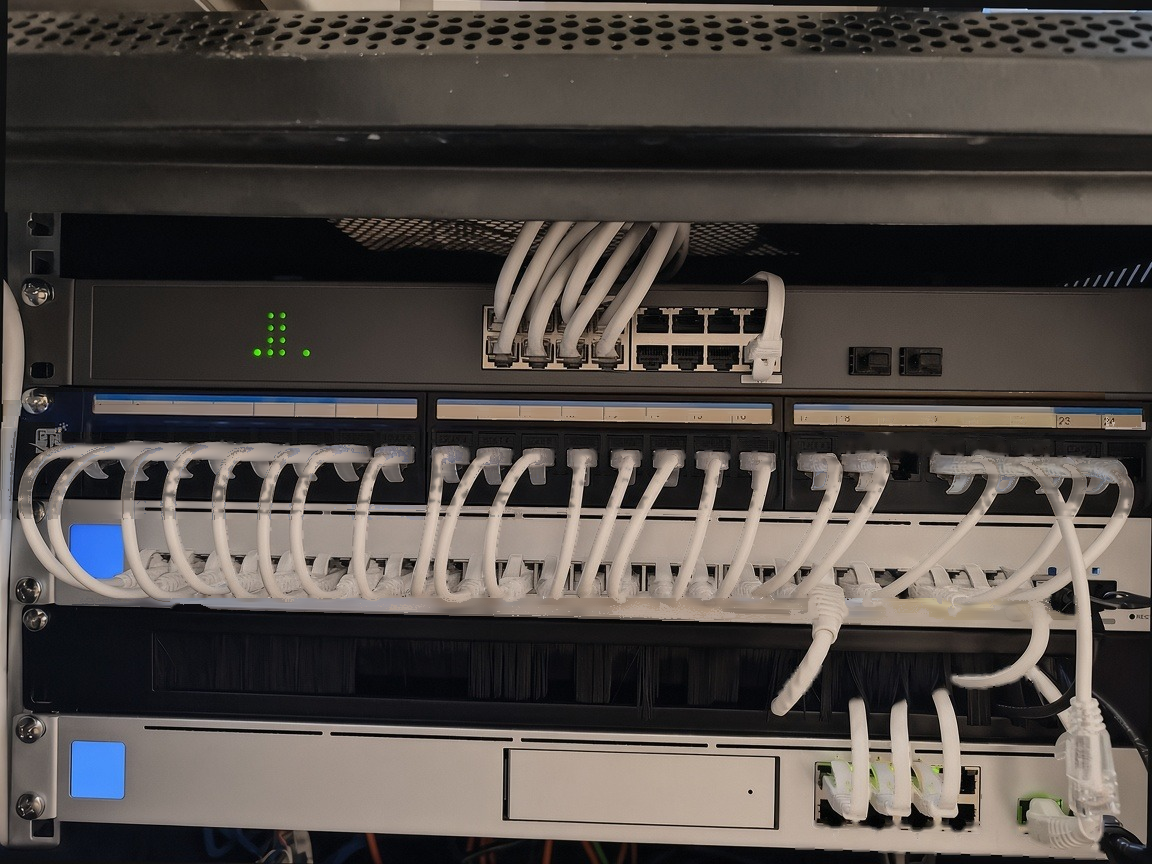
If you are renovating or building. Run Cat6a to each access point and to the key rooms. It covers 10G for the full distance and gives you headroom. Our posts on structured cabling before plaster, patch panels and the renovation prewire checklist go into the detail.
Dubai realities. Villa runs are long. Cables get bundled tightly in hot ceilings and cupboards. Previous contractors' terminations are not always good. All of these are reasons to test rather than assume.
At Maqam Tower on Al Maryah Island, after a flood, we replaced 130+ Cat6 runs with Cat6a and certified them with Fluke testing. That is the standard we work to. See our network cabling service.
Heat, power and the network cabinet
Multi-gig gear gives off more heat than old 1G kit. Some manufacturer figures:
- The UniFi UDM Pro Max draws up to 60 W and gives off 205 BTU/hr. It is rated for an ambient temperature of up to 40 °C.
- The UniFi USW-Pro-Max-24-PoE gives off 119 BTU/hr before PoE, and is also rated up to 40 °C.
- The Firewalla Gold Pro draws about 17 to 33 W and is rated up to 50 °C.
A closed cupboard in a Dubai villa can get close to those limits in summer. Plan for ventilation, a UPS and a cabinet you can actually reach. Our guides to quiet, cool, serviceable network racks, network cabinets and UPS and power protection cover the details.
How to test what you've got before you spend
- Run a wired speed test from a multi-gig device plugged straight into the router. If that tops out near 940 Mbps, a 1G hop is in the path.
- Check the negotiated link speed of each port in your router or switch app. UniFi, Firewalla and Deco all show it.
- Look for the odd one out. A port showing 100 Mbps, or 1G where you expected 2.5G, is your suspect. Check the cable, the termination and both ends.
- Then test over WiFi. The gap between wired and wireless results is your WiFi, not your line.
Our network diagnostics guide and the 800 Mbps fix case study show this in practice.
When to DIY and when to call us
DIY is reasonable when it is an apartment, you are swapping one switch, the cabling is Cat6 and your router already has multi-gig ports.
Call us when you need a villa backbone redesign or a Wi-Fi 7 rollout, cabling needs testing or certification, the rack needs cooling, CCTV and a NAS share the network, or an office needs VLANs.
See our WiFi installation, WiFi services and consulting pages.
FAQ
Why does my speed test always stop at about 940 Mbps?
Because a 1G link is in the path. After protocol overhead, Gigabit Ethernet delivers about 930 to 950 Mbps of real data. It is working normally, just at its limit.
Do I need Cat6a for 2.5G?
No. 2.5G was designed to run over Cat5e up to 100 m. Most existing runs will work, but it is not guaranteed, so test them. Cat6a is the safe choice for new cabling and for 10G.
Is 10G worth it for a home?
Usually only for the backbone, a NAS, or Etisalat's 5G or 10G fibre plans, not for every wall plate. Use Cat6a, or SFP+ and DAC for short links in the rack.
Will a 2.5G switch make my WiFi faster?
Only if a 1G link was the limit. That means your access points, and often your internet line, were already able to go faster than 1G. WiFi is still limited by the radio and by your devices.
Does my laptop or TV need a multi-gig port?
No. Only devices that move large files on the local network, or that can use more than 1G over Ethernet, will notice.
Talk to Hurst First
Paying for fast fibre but stuck at 940 Mbps? We will find the 1G bottleneck, test your cabling and plan an upgrade that fixes the backbone without replacing what already works. We work on villas, apartments and offices across Dubai.
There is no pressure. If you would like a second opinion before you buy anything, Request a consultation and we will take it from there.