



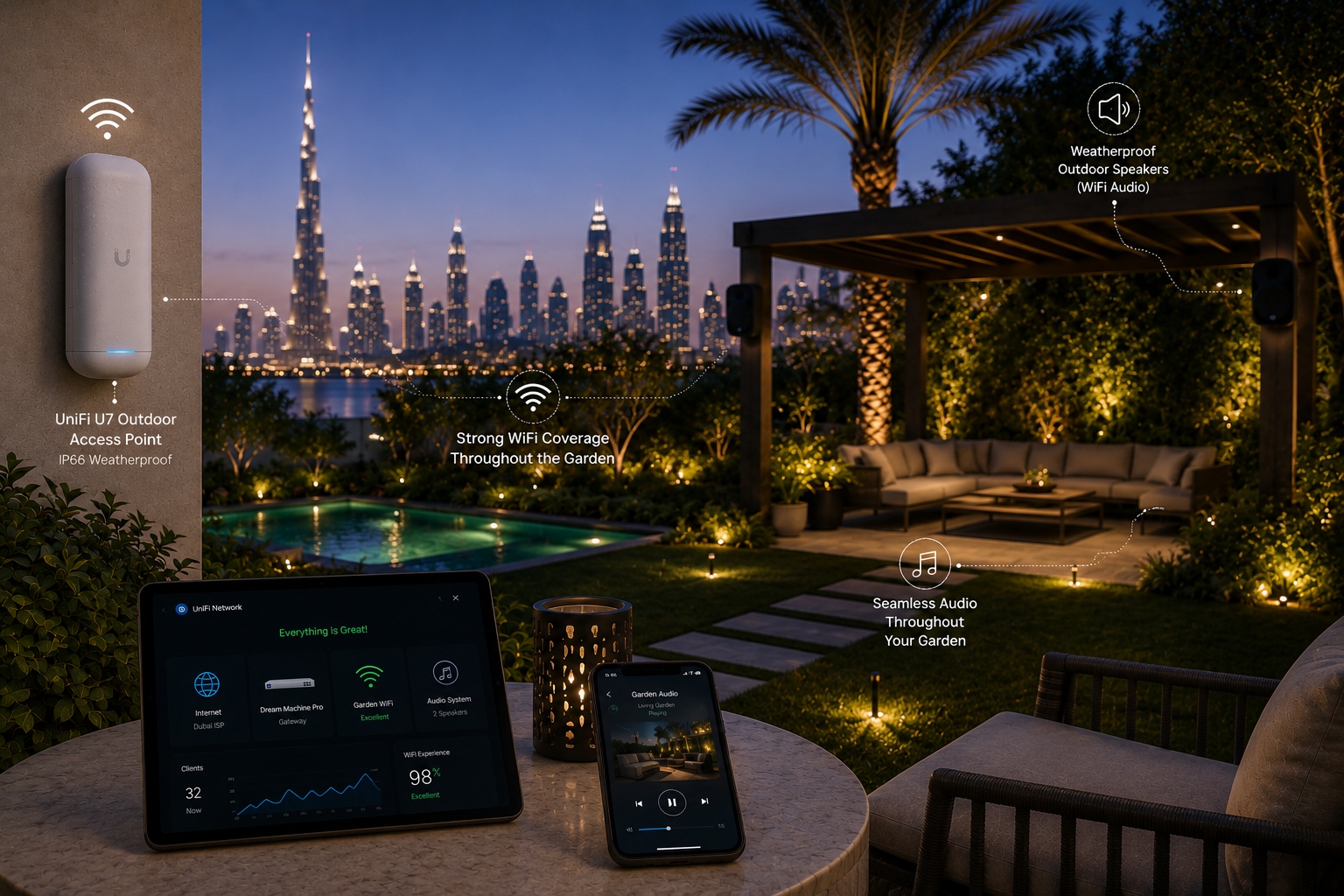
If the only place people actually use the villa is the terrace by the pool, then that is where the WiFi has to work.
That sounds obvious, but it gets missed a lot. A lot of projects still treat outdoor WiFi like an extra. Someone adds one access point near a patio door, tests it from inside the house, and calls it done. Then the client sits outside with half a signal, the camera at the gate drops off, and the smart speaker near the barbecue keeps timing out.
For UAE villas, outdoor coverage is usually less about “more speed” and more about getting a stable signal to the places people actually use:
- garden seating areas
- terraces and balconies
- pool decks
- pergolas and outdoor kitchens
- gate cameras and driveway devices
- irrigation controllers, sensors, and outdoor AV gear
If you plan it properly, outdoor WiFi is straightforward. If you bolt it on later, it turns into a mess of cable runs, weak signal, and equipment sitting in the wrong place.
Start with the use case, not the brand
Before talking about access points or mesh systems, ask what the outdoor network is supposed to do.
A small terrace that only needs phones and streaming music is one thing. A pool area with cameras, a TV, outdoor speakers, and guests on the network is another. A landscaped garden with gates, irrigation, and a long perimeter is different again.
I usually separate outdoor needs into three buckets:
1. Light use
Phones, tablets, music streaming, maybe a laptop on the terrace.
This is the easy case. A properly placed outdoor access point or a wired indoor-to-outdoor handoff may be enough.
2. Family use
Pool, barbecue area, garden seating, outdoor TV, and regular guest access.
Now you need more thoughtful placement and better roaming. One weak AP near the window is usually not enough.
3. Utility and security
Cameras, gate intercoms, irrigation controls, access systems, and sensors.
This is where reliability matters more than raw throughput. If the signal is patchy, the smart-home side suffers before anyone notices the streaming side.
In the UAE, the environment matters
Outdoor WiFi here is not like outdoor WiFi in a mild climate.
The problems are predictable:
- heat
- humidity
- dust
- irrigation spray
- reflective glass
- thick external walls
- long distances from the main comms room
That means equipment choice matters, but placement matters just as much. A good outdoor access point mounted in the wrong place can still underperform. I have seen plenty of installs where the hardware was fine, but it was buried behind a wall, tucked into a plant room, or mounted where the sun and heat punish it all day.
A few practical rules:
- do not assume the indoor signal will “just reach” the garden
- do not mount gear where sprinklers can hit it
- do not hide equipment in a metal cabinet unless the vendor says it is fine
- do not place access points too low near furniture, planters, or people sitting under them
- do not forget that glass doors and low-E glazing can block or weaken signal more than people expect
Wired beats clever, most of the time
For outdoor WiFi, a cable is usually worth more than a fancy mesh promise.
If you can get a proper Ethernet run to the terrace, pergola, or garden edge, do that. It gives you:
- better speed
- better stability
- better roaming
- less dependence on the indoor WiFi pattern
Mesh has its place, especially where the client does not want open walls or extra cabling. But in a villa, a wired outdoor access point is usually the cleaner answer when the building work is still open or when you already have spare conduit.
If the project is already finished, then the discussion changes. Sometimes a high-quality mesh node in the right place is the practical choice. But if the client is renovating, I would still try to get at least one or two outdoor data points into the design.
What I normally look for on site
When I walk a property, I am not just looking for “where can I put an AP?”
I want to know:
- where people sit
- where the pool equipment sits
- where cameras need coverage
- where the main network cabinet is
- where the cable can actually be pulled without damage
- whether there is shaded mounting space
- whether the terrace roof or pergola will block the signal path
- whether the garden layout is changing soon
That last one matters more than clients think. A lot of outdoor WiFi gets installed before the landscaping is finished, and then the access point ends up covering the wrong side of the garden.
If the pergola moves, the signal path changes. If the client adds outdoor screens later, the network load changes. If the pool is still under construction, the final cable route may not exist yet.
Good outdoor WiFi is usually a small system, not one device
People often ask for “an outdoor access point.” In practice, it is usually a small system:
- one or more wired access points
- proper cable routing
- PoE power
- a controller or managed setup if roaming matters
- network segmentation for cameras or guest access
- weather-rated hardware in the right spots
For most villa jobs, the important part is not the access point model number. It is whether the whole path from the switch to the terrace has been thought through.
If there are cameras by the gate, I usually want them on their own segment. If guests will be using the pool WiFi, I do not want that mixed with home automation gear. If the terrace has an outdoor TV, I want to check buffering and placement before the client buys the screen.
Placement notes that save headaches later
A few things I keep repeating to clients:
Put the AP where people actually use the network
Not in the garage. Not in the plant room. Not at the far end of the house just because the cable was easier there.
Aim for coverage, not just signal bars
A phone showing one bar is not the same as a network that can hold a video call or stream music without dropping.
Watch the sight lines
Even outdoors, walls, columns, glass, and heavy planting can break up coverage.
Keep an eye on heat and sun
Not every enclosure or mounting point handles direct summer exposure well. If the gear is technically “outdoor rated,” that still does not mean it should bake in full sun all day.
Leave room for future additions
Today it is the terrace. Next year it is cameras, speakers, and a second seating area. I always prefer a bit of spare capacity in cable and switch design.
Typical mistakes I see
These come up all the time:
- using one indoor AP and hoping it reaches the pool
- mounting outdoor hardware too high or too low
- forgetting PoE requirements until the end
- putting guest WiFi and security devices on the same network
- installing before the landscaping is final
- not testing from the actual seating area
- assuming the patio door is a good signal path when the glass is working against you
- choosing mesh because it sounds easier, then dealing with roaming issues later
None of these are dramatic on their own. Together, they create the usual “it works indoors but not outside” complaint.
If you are renovating, plan the outdoor network early
This is the simple version.
If the garden, terrace, pool, or pergola is being built or refurbished, bring WiFi into the conversation at the same time as lighting, CCTV, speakers, and irrigation.
That is the right moment to decide:
- where the data cabinet is
- which areas need wired drops
- where outdoor APs should live
- whether cameras need separate switches or VLANs
- where future additions might go
Once the finishes are in, the job gets harder and more expensive. You can still do it, but the options narrow fast.
My short version for clients
If you want decent outdoor WiFi in a UAE villa, do this:
- decide what the outdoor network actually needs to support
- run Ethernet to the right outdoor zones where possible
- use outdoor-rated hardware in sensible, shaded locations
- keep cameras and guest WiFi separate from core home systems
- test coverage from the places people sit, not from the comms room
That is usually enough to avoid the common problems.
Outdoor WiFi does not need to be complicated. It just needs to be planned like part of the villa, not treated like an add-on at the end.